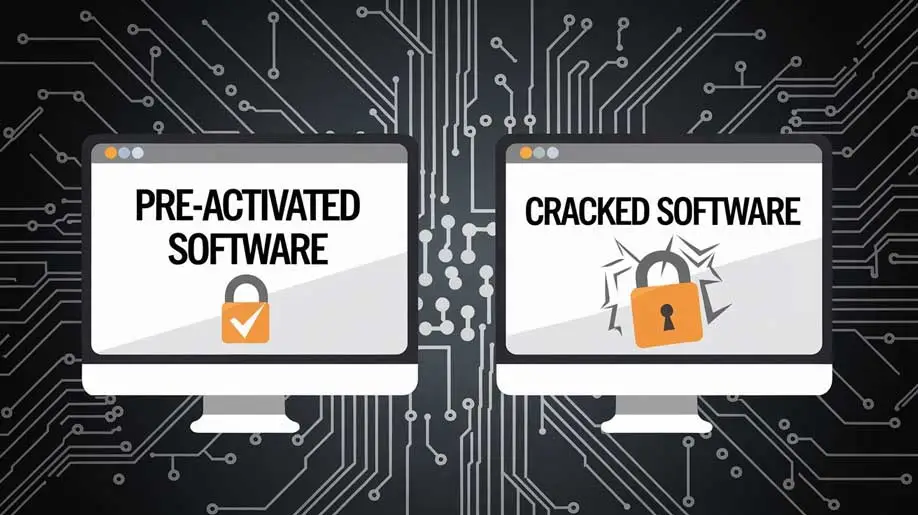
In today’s digital age, businesses and individual users alike are always on the lookout for faster and more affordable ways to access the tools they need. One of the solutions that has been gaining traction is pre-activated software. But what exactly is it? How does it work behind the scenes? And why is it becoming such a popular option? In this blog post, we’ll explore the technicalities of pre-activated software, its advantages, and the potential risks.
How Does Pre-Activated Software Work?
Understanding the mechanism of pre-activated software requires breaking it down into a few key steps. Here’s what happens behind the scenes:
1. Software Activation Process
Most software developers integrate a licensing system to ensure their products are used legally. This involves requiring users to enter a product key or license code, which is then verified with the developer’s servers. If the key is valid, the software is activated, and the user can enjoy full access.
2. Bypassing the Activation Step
Pre-activated software is essentially a version where this activation step has already been handled. There are different ways this can be done:
- Pre-Inserted Key: In some cases, a valid license key may have been inserted into the software before distribution, ensuring that when you install it, it’s already activated.
- Modified Files: In other cases, certain files within the software (like the license manager) are modified or replaced, tricking the program into thinking it’s been activated.
- License Servers Bypassed:
Some versions of pre-activated software might bypass the developer’s license verification server altogether, allowing the software to run without needing server-side confirmation.
3. No Registration Required
Pre-activated software skips the usual registration process that requires users to input their personal or business information. As a result, users can install the software quickly and start using it without providing data like email addresses or setting up accounts.
Steps in Standard Software Activation vs. Pre-Activated Software
| Process | Standard Software | Pre-Activated Software |
| Purchase | User purchases a license or product key | Pre-activated software typically bought or downloaded without purchasing a key |
| Installation | Requires installation, followed by activation | Installation alone is enough; no separate activation step |
| License Activation | Requires entering a license key to unlock | Already activated; no manual license input required |
| License Verification | The software verifies the key with developer servers | No verification; the software is modified or pre-activated |
| Full Feature Access | After activation, all premium features are unlocked | Premium features are available immediately upon installation |
Advantages of Pre-Activated Software
Pre-activated software offers a variety of advantages, especially for businesses that need quick access to tools without spending too much time on administrative processes. Here’s why pre-activated software is appealing:
1. Quick Deployment
Businesses often find pre-activated software incredibly efficient when it comes to deployment. The elimination of the activation step means the software is ready to use as soon as it’s installed.
- No time spent activating multiple devices.
No need for team members to manually input license keys.
2. Cost-Effective
Pre-activated software is often more affordable than standard licensed versions. Businesses can save a significant amount of money by purchasing pre-activated versions of expensive software, especially for short-term projects where they don’t need a long-term commitment.
3. Ideal for Testing
Pre-activated software can be useful for businesses or developers who want to test different programs before committing to a full purchase. This way, they can evaluate the tool’s performance, features, and how it fits into their workflow without having to pay upfront for full licenses.
4. No Licensing Hassles
Managing multiple licenses across a business can be a logistical challenge. With pre-activated software:
- You don’t need to worry about license renewals.
- No need to track or store multiple product keys.
- No downtime waiting for license reactivation in case of issues.
- Infographic Idea: How Pre-Activated Software Saves You Time and Money
- The infographic can highlight the benefits of pre-activated software, such as:
- Quick Setup: Install and use immediately without entering keys.
Budget-Friendly: Save on the cost of multiple licenses.
No Hassle: Skip license management and registration.
Flexibility for Short-Term Needs: Ideal for temporary employees or freelancers.
Potential Risks of Pre-Activated Software.
While pre-activated software offers many benefits, it also comes with potential risks that should be considered before integrating it into a business environment.
1. Security Concerns
Pre-activated software from unverified sources can pose serious security risks. Since it’s often modified to bypass activation, these versions can include hidden malware, viruses, or ransomware.
- Malware: Malicious code can be hidden in software downloads, potentially compromising sensitive business data.
- Lack of Updates: Pre-activated software may not receive official updates, leaving the software vulnerable to security exploits.
2. Legal Implications
Many pre-activated software versions are distributed without proper licensing, which can result in legal consequences.
- Copyright Infringement: Using software without an official license may violate copyright laws, exposing businesses to fines and lawsuits.
- Non-Compliance: For businesses operating in sectors with strict software compliance requirements, using pre-activated software could lead to legal penalties.
3. No Customer Support
Pre-activated versions of software don’t come with official support. If users encounter any issues or bugs, they won’t be able to contact the software developer for help.
4. Compatibility Issues
Because pre-activated software is often modified, it might not be fully compatible with certain hardware or operating systems. Updates to your systems may also render the software unusable.
How to Safely Use Pre-Activated Software
- Verify the Source: Ensure you’re downloading from a trusted source to avoid security risks.
- Use Antivirus Protection: Always scan the software before installing it to detect any hidden malware.
- Backup Data: Regularly back up your data to protect against potential threats from unauthorized software.
- Test in a Virtual Environment: Before installing on main systems, test the software in a sandbox or virtual machine to detect any issues.
- Check for Updates: If possible, manually check for updates to avoid potential vulnerabilities.
When is Pre-Activated Software a Good Fit for Your Business?
Pre-activated software is a viable option for businesses in certain circumstances. It’s particularly useful for:
- Freelancers and Small Teams: Businesses with limited budgets that need access to premium software tools quickly.
- Short-Term Projects: If your business needs a specific tool for a limited amount of time, pre-activated software can be an affordable and efficient option.
- Test-Drive New Tools: Pre-activated versions can be used to try out software before committing to a full license.
Conclusion
Pre-activated software offers a quick and cost-effective way to access premium features without the hassle of manual activation or license management. While it has many advantages, it’s essential to be mindful of the potential security and legal risks that come with using unauthorized or modified software. By following best practices and verifying the source of pre-activated software, businesses can take advantage of this option while minimizing risks.